Private AI inside Apple Shortcuts
Drop AI into any Shortcut or automation — summarizing, rewriting, pulling details out of text — with nothing sent anywhere.
Free for three days. iOS 17 or later.
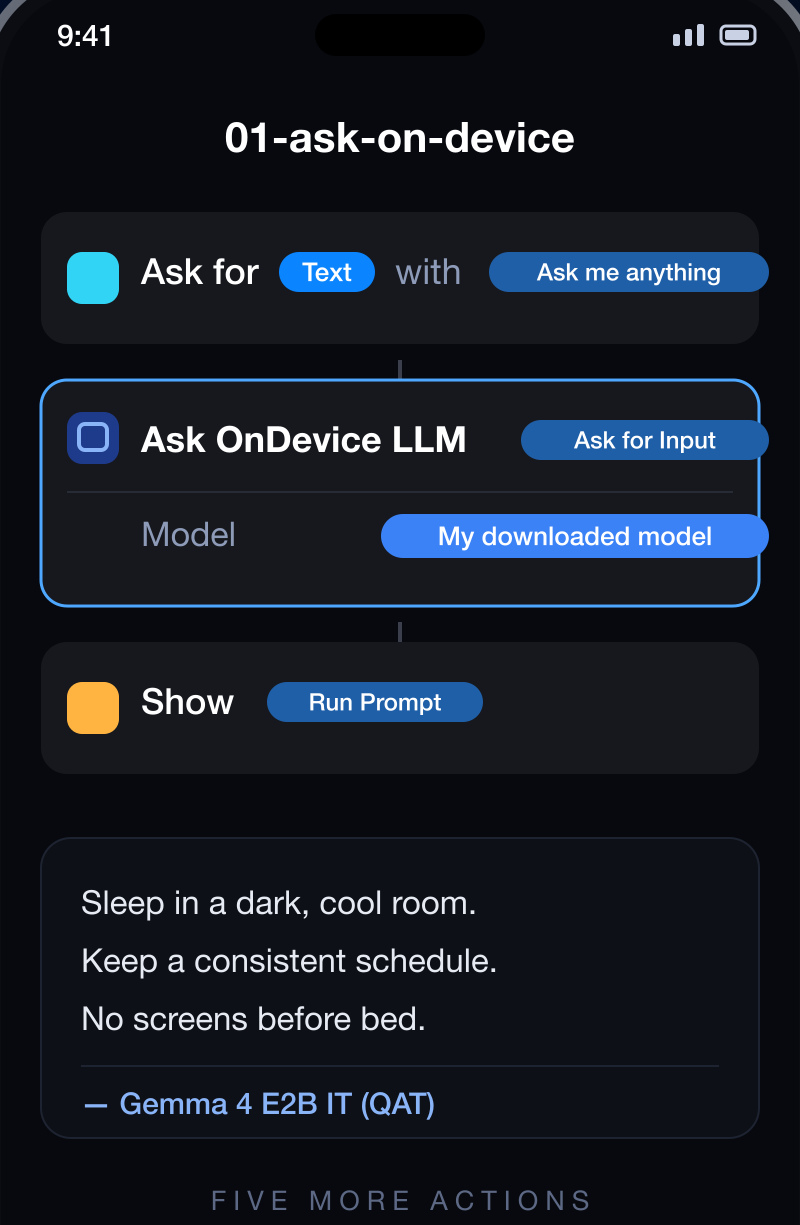
Drop AI into any Shortcut or automation — summarizing, rewriting, pulling details out of text — with nothing sent anywhere.
Free for three days. iOS 17 or later.
Most ways of putting AI into a Shortcut send your text to a server to get an answer back. That's fine for a recipe idea and wrong for a receipt, a contract, a medical note or a work document.
These steps run on the phone. The text goes nowhere, the automation works with no signal, and you decide how it answers.
Turn a long web page, email or note into a few lines — straight from the share sheet.
Get the useful bits out of a receipt, confirmation or message and pass them to the next step.
Put a question to something you've just scanned or saved, without opening it.
Have incoming text filed into your own categories automatically.
A free-form step for whatever the others don't cover.
Save a fact for the assistant to use in later conversations.
Open OnDevice LLM once and follow the recommendation for your iPhone. Shortcuts uses whatever you've chosen there.
New Shortcut → search for OnDevice LLM → pick the action you want.
Turn on "Show in Share Sheet" and it's available from Safari, Mail, Files — anywhere you can share. Automations work too.
The app comes with ready-made examples you can start from, so your first one is a small edit rather than a blank screen.
Because everything happens on the phone, these are safe to point at things you'd never paste into a cloud chatbot — and they keep working with no signal at all.
Last updated: 28 July 2026